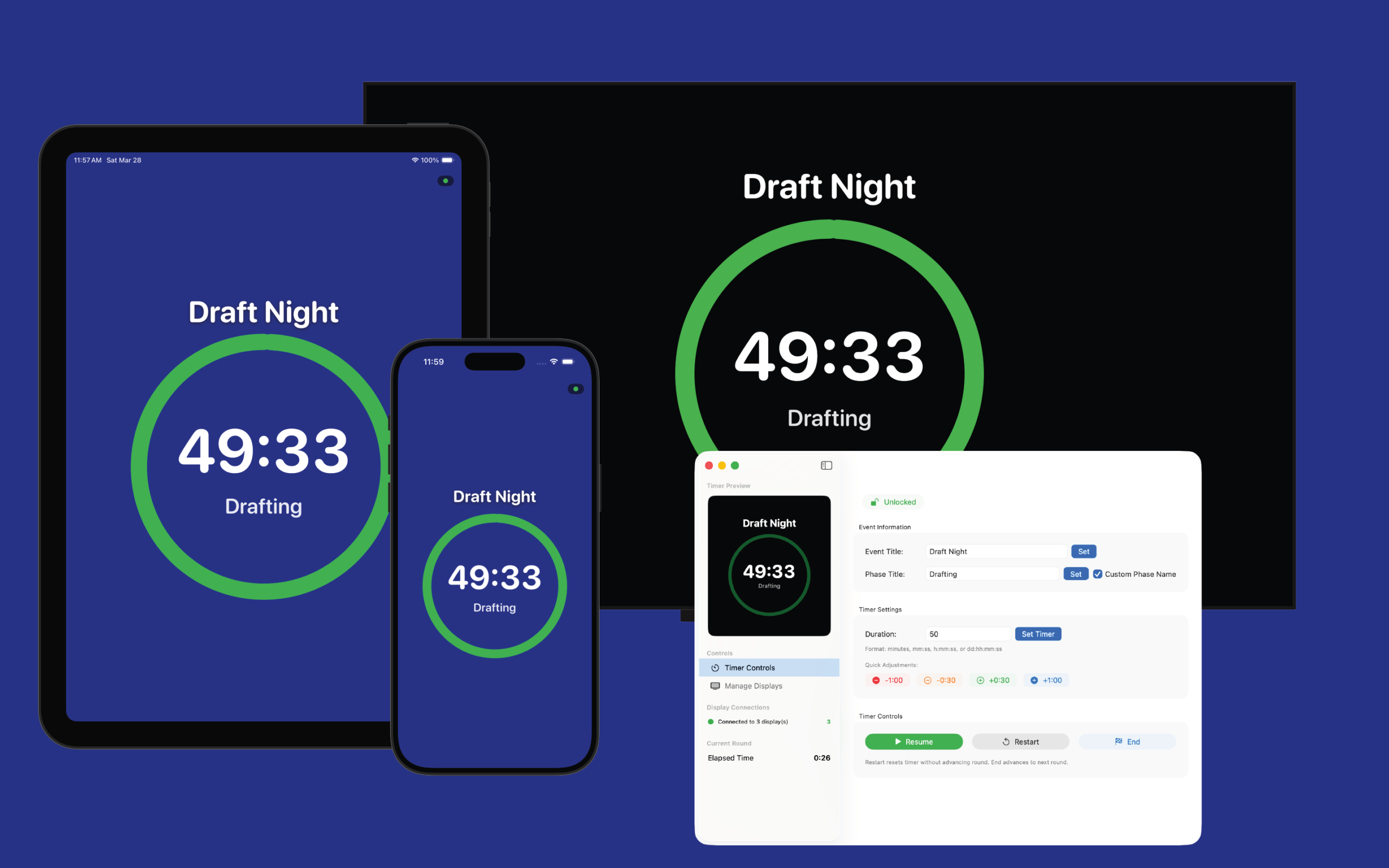
RoundCast
RoundCast is a set of tools developed at Meeple Madness to support our tabletop tournaments
RoundCast includes a macOS tool, RoundCast Console, and a companion app, RoundCast Player that runs on Apple TVs, iPhone and iPads. We use RoundCast during the majority of our tournaments.
For support, please email us at roundcast@meeplemadness.com, or join our Discord server using the link above.
RoundCast Console
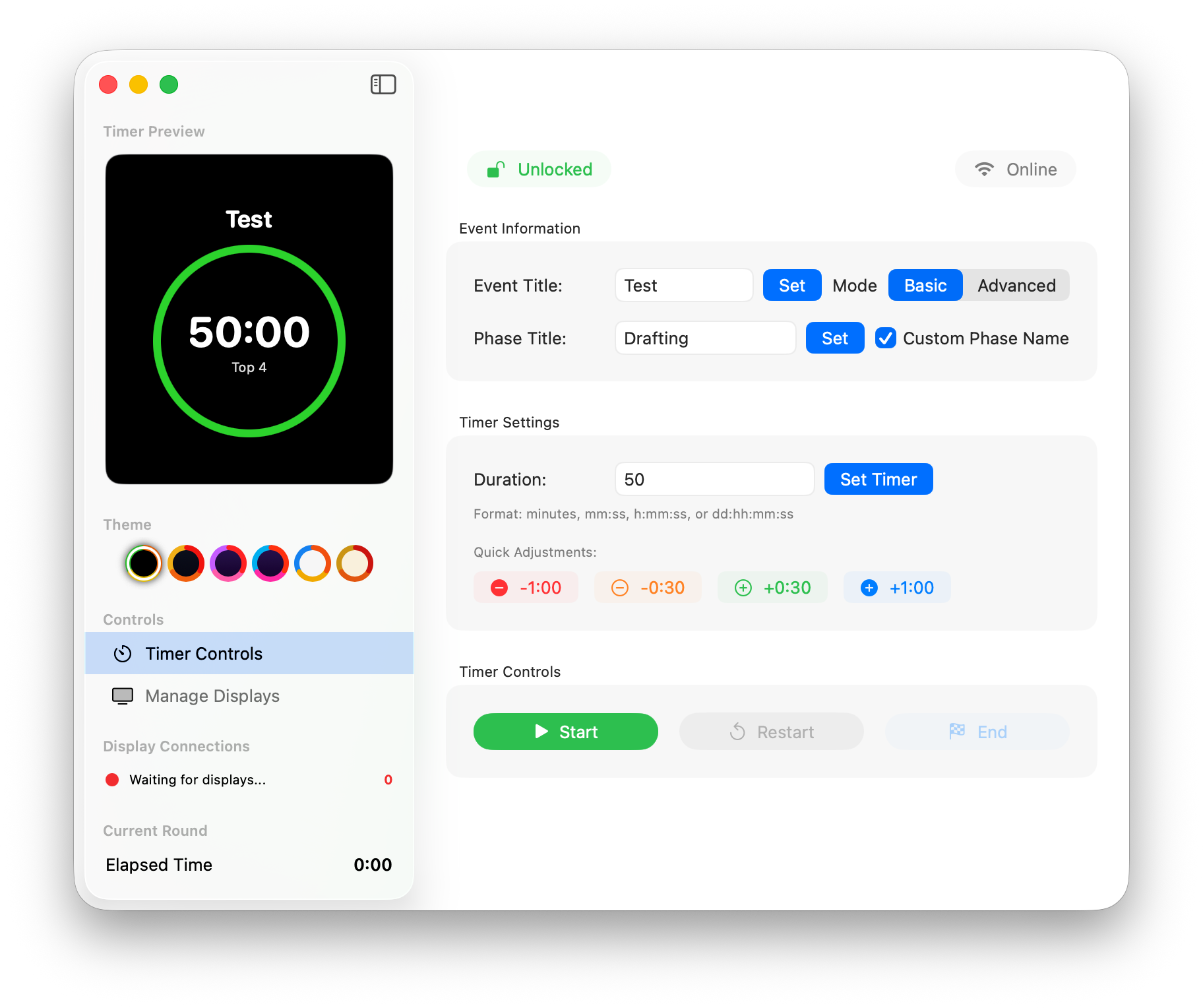
RoundCast Console is the macOS application that drives our timers. It includes flexible controls to customize the event name and phases.
Durations can be set to impractically small (1 second) and large (multiple days) values, and times can be easily adjusted during a running event. To avoid accidental changes, the interface can be locked.
Rounds can be started, paused, restarted, or ended as needed using simple buttons.
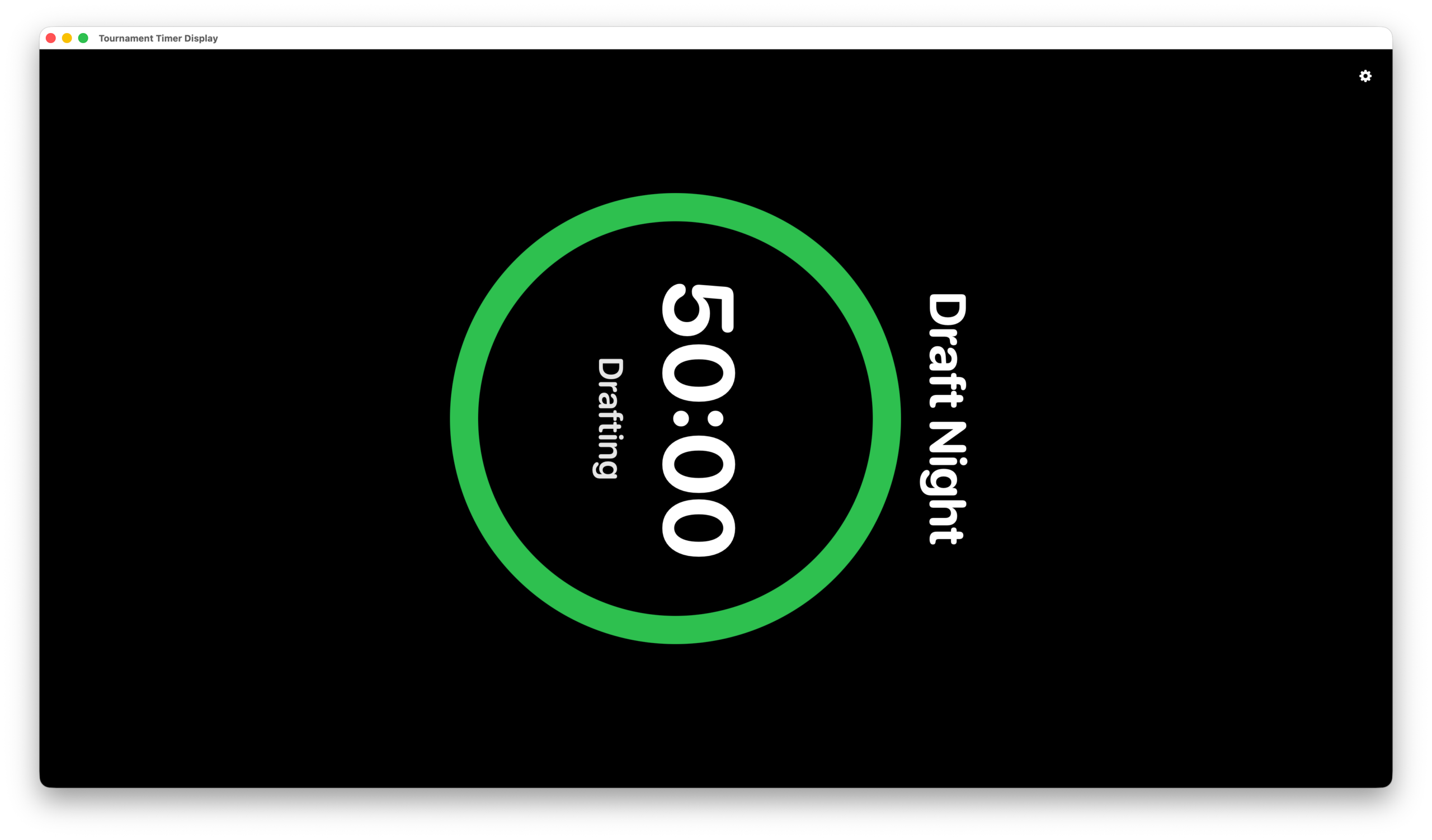
RoundCast Console also supports a local display window that can be sent to a second screen or AirPlayed to a nearby device. This allows you to run an entire tournament without needing to install any additional software on any of your devices.
AirParrot 3, from Squirrels, LLC, can be used to send the local window to multiple displays.
Local Display Window
The Local Display Window is configurable to match the orientation of whatever device(s) you're sending it to. You can select from standard landscape orientation, or rotate in 90 degree increments depending on how you've positioned your displays.
This works well for AirPlaying to an Apple TV connected to a display that is installed in portrait orientation.
You can also easily hide the title bar to provide for a cleaner look.
Display Management
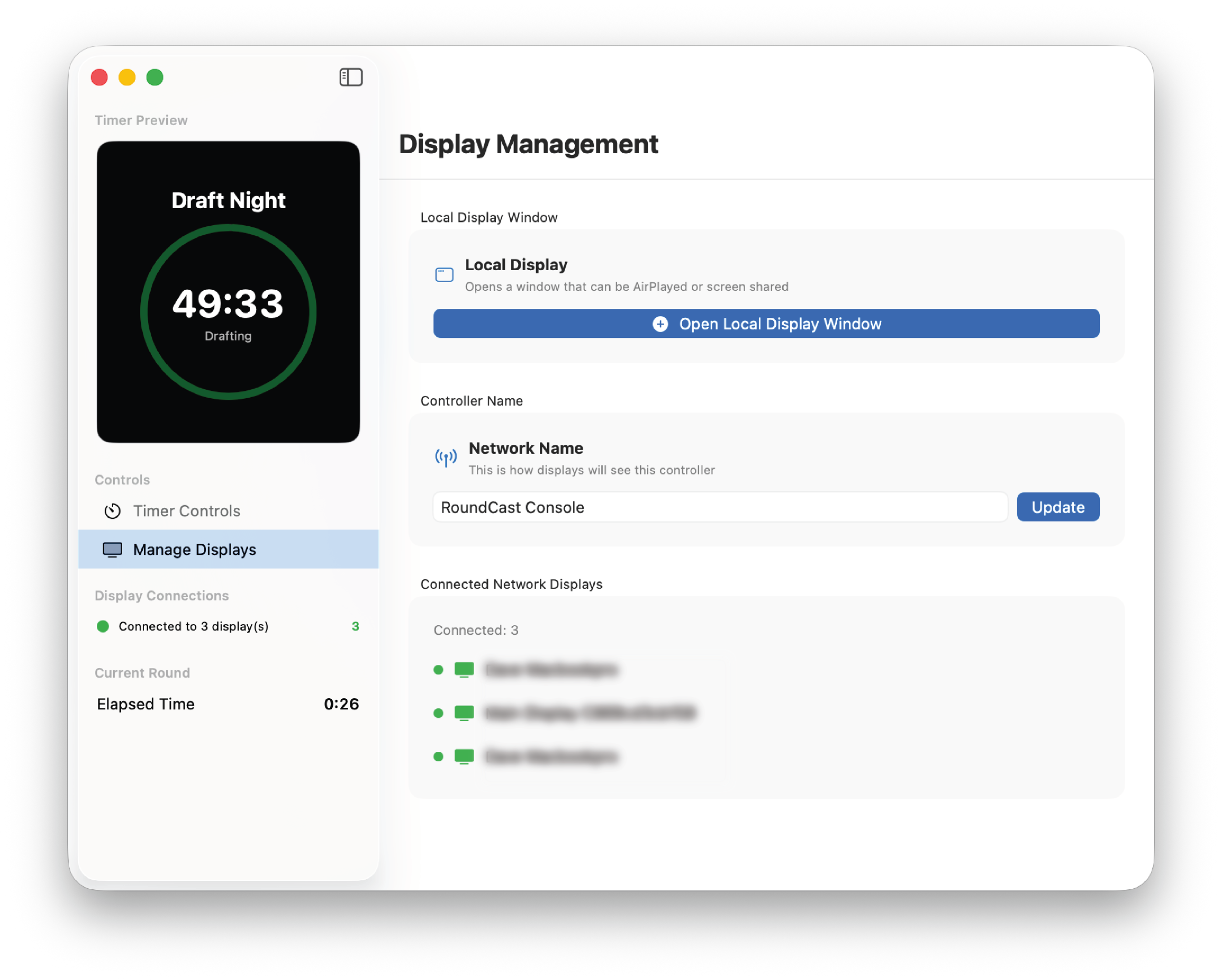
The Display Management Tab allows you to launch to Local Display Window and configure the Network Name used by your Console. RoundCast support having multiple consoles running on different Macs on the same network. By providing clear network names, you'll be able to easily navigate to the correct timer on each RoundCast Player you have running.
In our shoppe, we have a Main Event console, and one running on each of our two Mac Registers.
This allows us, for example, to have four TVs showing a timer for one TCG using the Main Event laptop, while having two side events run from either of our two registers.
RoundCast Player
With the companion RoundCast Player app, you gain additional flexibility. You can display to multiple Apple TVs, each with potentially different orientations. If you have a streaming room, you can set up an iPad with the timer so the on-camera player can see it easily.
You can also carry a copy of the timer around in your pocket on your iPhone.
RoundCast Player timers continue to operate even if temporarily disconnected from the Console, and will auto-reconnect and re-sync when network connectivity is restored.
Which means, yes, your tournament organizer could pop down the street to grab a bite to eat and still see how much time is left on the round before they need to return.